From pairings to results: running a round
The busiest moments of a tournament come between rounds. ChessCompete separates the pairing draft from the published round, so you can check the boards before players begin. Here is a repeatable routine for an individual Swiss event.
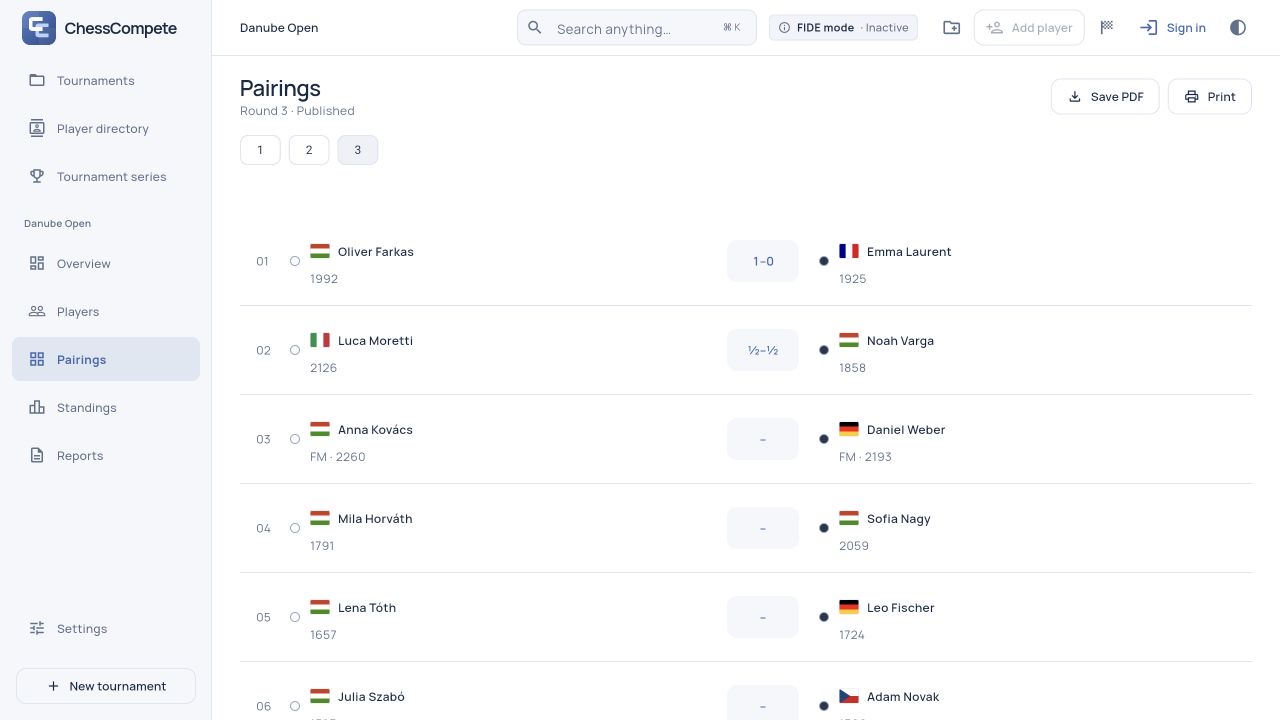
Follow one cycle: check participation, review the draft, publish, enter every result, then pair again.
Check who will play before pairing
Select the event and review Players. Record withdrawals and requested half- or zero-point byes before generating the affected Swiss round. A requested bye and a pairing-allocated bye are different records; use the participation setting that matches what happened.
For example, if a player tells you they will miss round two, record that before pairing round two. Do not wait for the opponent to sit at an empty board. The pairing engine works from the participation information already saved in the event.
Open Pairings → Start first round. For a real event, this requires a verified Pro entitlement. The demo lets you explore the workflow without an account.
Review the draft before publishing
The generated round is labelled Draft. Check the round number, board list, colours and any allocated bye. Confirm that the participant list matches the people you expect to play. A draft is a review stage, not an invitation to rearrange opponents manually.
If you discover a roster problem, use Discard draft for the latest unpublished round, confirm it, correct the player information and generate the pairing again. Publish or discard a draft before changing the roster.
When the list is correct, select Publish pairings. This commits the round inside the tournament; it does not create a public results website. Use Save PDF or Print on Pairings to distribute the sheet. A PDF made from a draft is explicitly labelled unpublished.
Enter each result from the correct side
Open the relevant board in the published round and select its result. Read the white and black names first: 1–0 means White won, 0–1 means Black won, and ½–½ is a draw. Use the appropriate forfeit option for an unplayed game rather than recording it as a normal played win.
After entering a batch of results, compare the board list with your result slips. A quick scan now is easier than investigating a wrong score after the next round has started. If you need to inspect a player’s event record, select the player in Players or Standings.
Standings reflects the saved results and the configured tie-break order. During an unfinished round, treat it as a live position: the report identifies the round as still in progress.
Close the loop before the next round
Pair next round becomes available when the latest round is published and every result is recorded, provided planned rounds remain. If you cannot continue, check for an unresolved board or an unpublished draft first. Also check that you are viewing the latest round.
- Compare every board result with the source record.
- Review standings for an unexpected score.
- Record participation changes for the next round.
- Save a fresh JSON backup at a convenient break.
Repeat the same cycle for each round. After the last planned round is published and complete, choose Complete tournament, then export the final standings. The next guide explains which files to share and which to keep for recovery.