Your first chess tournament, step by step
A calm tournament day starts with a checked player list and clear rules. This guide takes you from opening ChessCompete to a field that is ready to pair, using a small individual club event as the example.
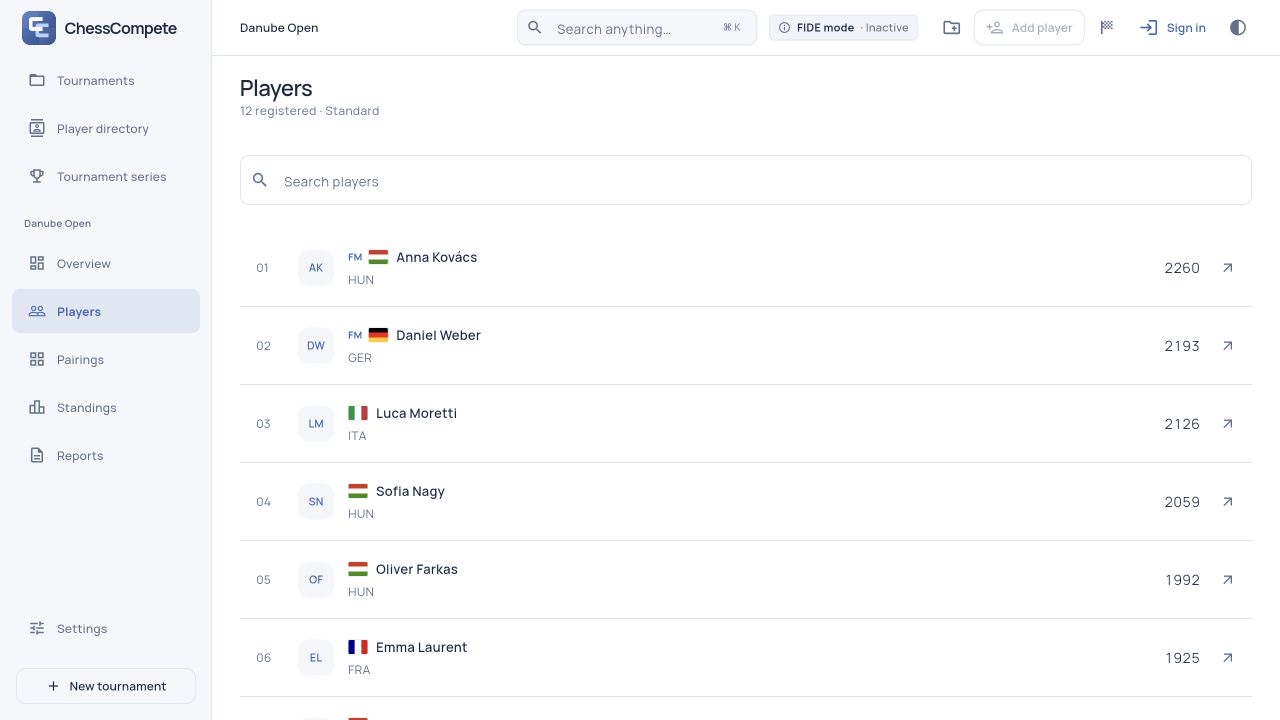
By the end, you will have a saved tournament, a checked roster and a short checklist for starting play.
Start with a tournament you can explore
Open the demo tournament to find your way around without an account. The fictional Danube Open lets you explore rounds, results and standings. Its player identities and event details are fixed, so use a new tournament when you want to enter your own club’s players.
The app currently uses English labels. On a wide screen, the sidebar holds the tournament views. On a phone, use Menu for destinations such as Players, Reports and Tournament settings. Always check the selected tournament’s name before editing.
Give the event its rules
Go to Tournaments → New tournament. Enter a recognizable name, dates, location, arbiter and time control. For example, “Friday Club Rapid” is easier to find later than “Test 2”. Choose the rating category that matches the event.
Select the pairing system, planned number of rounds, scoring and ordered tie-breaks. For this walkthrough, use an individual Dutch Swiss event. Individual round robin and team Swiss are separate choices; choose the format you actually intend to run.
Agree the rules before play and select Save. Core tournament rules lock when play begins, so the setup screen is the place to check them. Leaving a form without saving does not keep its edits.
Build and check your player list
Open Players → Add player for a small field, or use Import CSV for an existing roster. After an import, inspect the records in Players: a successful import still needs an organizer’s check for duplicates, spelling and the right people.
Check each player’s name, rating, federation, FIDE ID and title where available. Do not substitute a guessed rating for a missing one. If you use a FIDE lookup, confirm the identity before accepting the result; searching the online directory requires a connection.
For recurring club events, keep reusable records in Player directory, then use Add from directory in the tournament. Updating a directory record later does not rewrite the rating already recorded for an earlier event.
Make one final check before round one
- Check that the right tournament is selected and the dates, time control and round count are correct.
- Confirm who has arrived, inspect the initial player order and resolve duplicate entries.
- Set known absences or requested byes before pairing the affected Swiss round.
- Review the scoring and tie-break order against your event announcement.
- Open Reports → Backup and save a JSON copy of the prepared event.
Creating the event and registering players is free. The first real round requires a verified Pro entitlement; subscriptions are not on sale yet in the current development preview. Use the demo to rehearse the full round workflow.
Once the list is ready, continue with the next guide: generating a draft pairing, reviewing it and recording results.